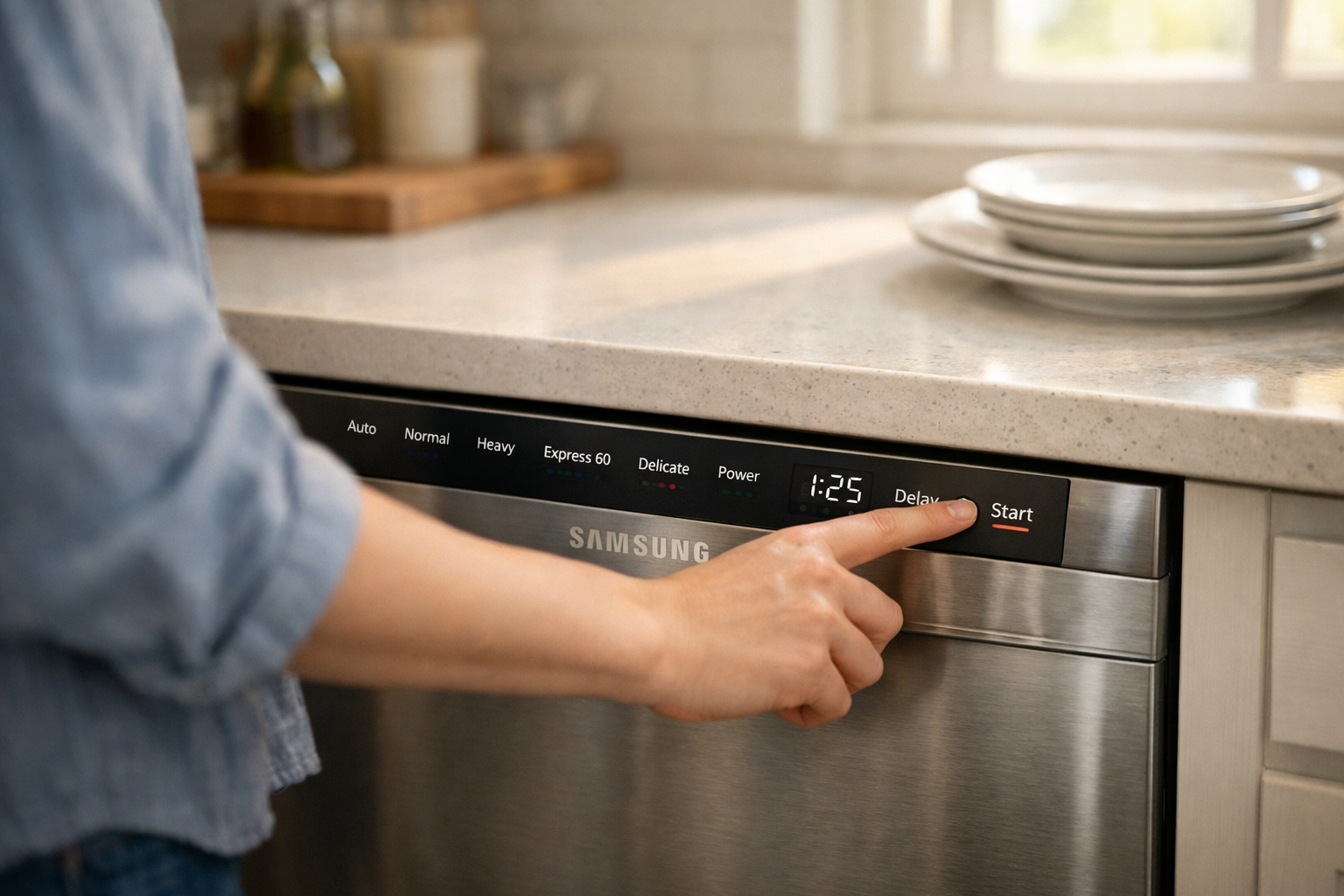
Few household problems are as frustrating as loading your dishwasher, pressing the start button… and nothing happens. No sound. No lights. Just silence. If your Samsung dishwasher won’t start, you’re not alone — it’s one of the most common appliance issues homeowners face.
I’ve dealt with this exact situation myself. One evening after dinner, I closed the dishwasher door, pressed start, and waited. Nothing. My first thought was that the machine had completely died. But after a bit of troubleshooting, the solution turned out to be surprisingly simple.
Samsung dishwashers are sophisticated appliances with multiple safety systems, sensors, and electronic controls. That means several small issues — like a door latch problem, power interruption, or control panel lock — can prevent the dishwasher from starting.
The good news? Most of these problems are easy to diagnose and fix at home.
In this guide, I’ll walk you through the most common reasons a Samsung dishwasher won’t start, how to troubleshoot them step-by-step, and when it’s time to call a technician.
Why Your Samsung Dishwasher Won’t Start
When a dishwasher refuses to start, it usually isn’t a catastrophic failure. In most cases, the machine is preventing itself from running due to a safety condition or a simple electrical issue.
Modern Samsung dishwashers include multiple protection systems designed to stop operation if something isn’t right. For example, the appliance will not start if the door isn’t properly latched, if the control lock is enabled, or if a sensor detects water leakage.
Another common cause is power disruption. A tripped circuit breaker, faulty outlet, or internal fuse can stop the dishwasher from receiving electricity. Because the machine relies heavily on its electronic control board, even a small voltage interruption can prevent startup.
Sometimes the issue is even simpler. Many people accidentally activate child lock or control lock, which disables the start button entirely. Others encounter startup problems after a power outage, when the control board needs a reset.
Understanding these possible causes makes troubleshooting far easier. Instead of assuming the worst, you can methodically check each system and identify the real problem.
Check the Door Latch and Door Switch
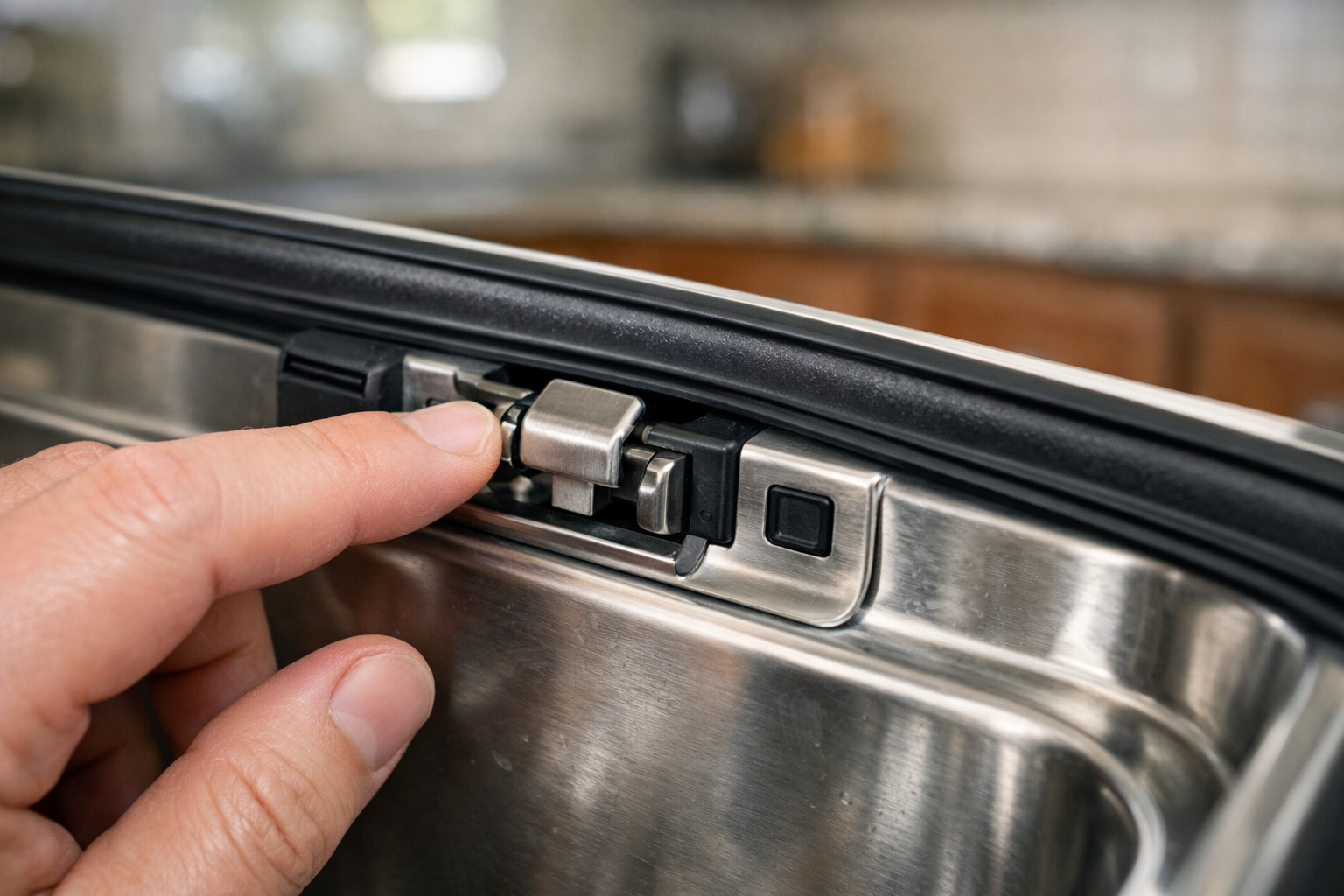
The door latch system is the number one reason a Samsung dishwasher refuses to start. If the appliance thinks the door is open — even slightly — it will not begin a wash cycle.
Inside the door assembly is a small switch connected to the latch. When the door closes correctly, that switch signals the control board that it’s safe to start. If the latch is misaligned, loose, or worn out, the dishwasher won’t receive that signal.
I once encountered this after moving a dishwasher slightly while cleaning the kitchen. The door looked closed, but it wasn’t locking firmly enough to activate the internal switch. The result? A completely unresponsive start button.
Start by opening and closing the door firmly. Listen for a clear clicking sound that indicates the latch has engaged. If the door feels loose or doesn’t close evenly, inspect the latch area for debris or damage.
Sometimes a simple adjustment fixes the problem. Food particles, soap residue, or misaligned racks can prevent the door from sealing correctly. Cleaning the latch area and ensuring racks are properly positioned often restores normal operation.
Power Supply Problems
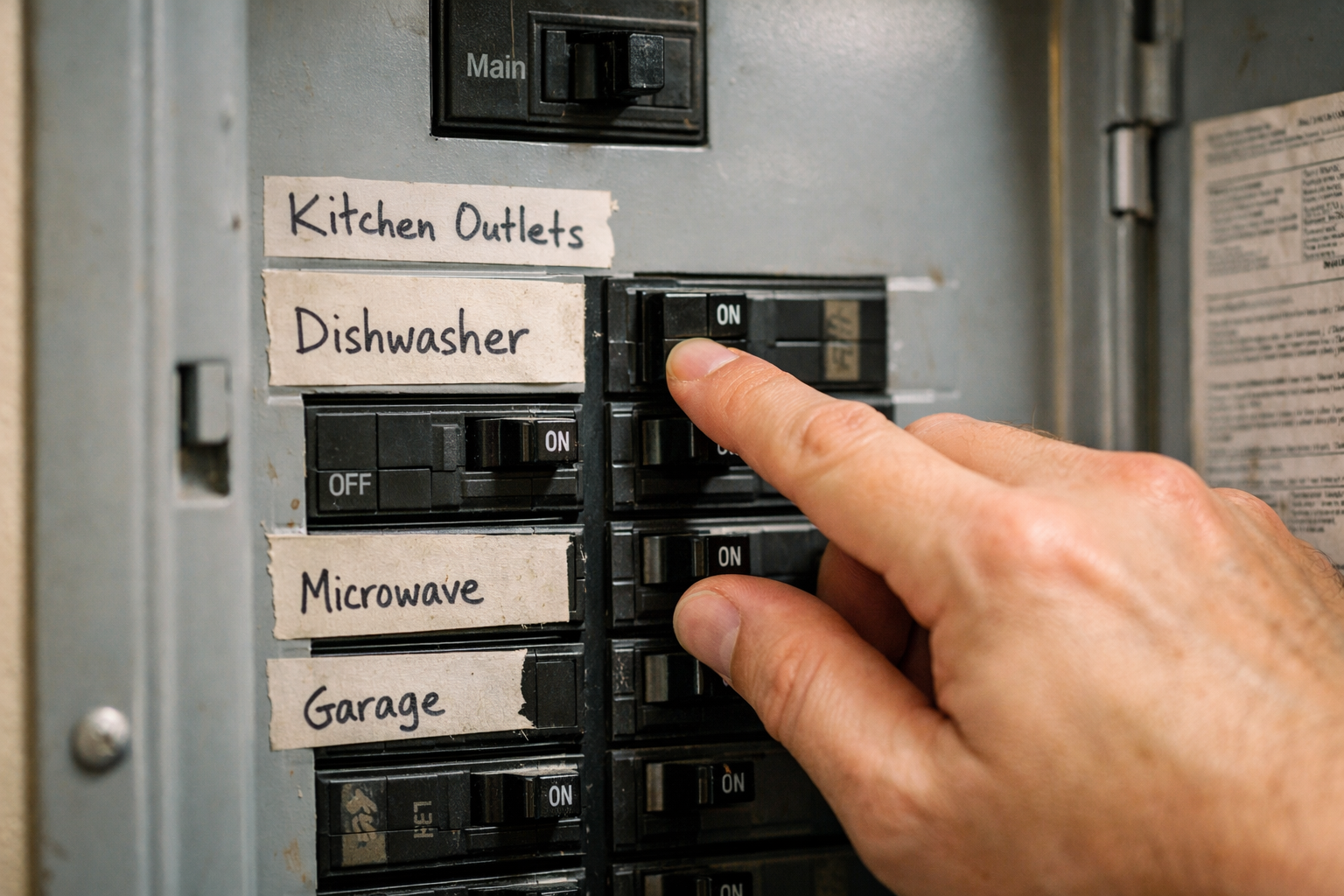
If your Samsung dishwasher won’t start and shows no lights, the issue may be power related.
Dishwashers draw a significant amount of electricity, which means they are often connected to dedicated circuits. If the breaker trips or the outlet loses power, the dishwasher will appear completely dead.
First, check your home’s circuit breaker panel. Look for a tripped breaker labeled for the kitchen or dishwasher. Reset it if necessary and try starting the machine again.
Next, verify the outlet supplying power to the dishwasher. Some installations place the outlet under the sink or behind the appliance. If the dishwasher is plugged in, unplug it and reconnect it securely.
Power surges and outages can also disrupt the electronic control board. In those cases, performing a full reset by turning off the circuit breaker for several minutes often restores functionality.
Electrical issues are surprisingly common, especially in older homes where wiring may not support modern appliances effectively.
Control Lock or Child Lock Is Enabled
Another extremely common reason a Samsung dishwasher won’t start is control lock mode.
Control lock is designed to prevent children from accidentally starting the dishwasher or changing settings mid-cycle. When this feature is active, the control panel becomes partially or completely unresponsive.
Many users activate this mode without realizing it. A long press on certain buttons — often labeled “Heated Dry,” “Start,” or “Lock” — can enable the feature.
When control lock is active, the dishwasher may display a lock icon or simply ignore button presses. The solution is usually as simple as holding the lock button for three to five seconds.
I’ve seen this happen countless times. A family member presses multiple buttons while experimenting with settings, and suddenly the dishwasher stops responding.
Consult your dishwasher’s control panel labels to locate the correct button combination to disable the lock mode.
Control Panel or Touchpad Malfunction
If the dishwasher has power but still won’t start, the touch control panel may be malfunctioning.
Samsung dishwashers often use capacitive touch buttons instead of physical ones. These panels are sensitive to moisture, grease, and wear over time.
In kitchens with heavy cooking activity, steam and grease buildup can interfere with touch sensitivity. I’ve personally solved startup issues by simply wiping the control panel thoroughly with a clean cloth.
If certain buttons respond while others don’t, that’s usually a sign the touchpad is failing. In some cases, the entire control panel assembly may need replacement.
Electronic control boards can also fail due to voltage fluctuations or age. When that happens, the dishwasher may power on but refuse to initiate a cycle.
While this issue requires more technical repair, confirming that other causes have been ruled out first can save significant time and money.
Water Supply or Safety Sensor Issues
Samsung dishwashers include several internal sensors designed to prevent leaks, flooding, and overheating.
If one of these sensors detects a problem, the dishwasher may refuse to start entirely.
For example, the leak detection system will shut down operation if water accumulates in the base pan. This can happen due to a loose hose, excessive detergent, or minor internal leaks.
Another possibility involves the water supply valve. If the dishwasher cannot detect proper water flow, it may prevent startup to avoid running dry.
In some cases, simply turning off the dishwasher and allowing it to sit for several minutes resets these sensors.
However, if sensor-related shutdowns happen repeatedly, it’s important to inspect hoses, filters, and connections carefully.
When to Reset Your Samsung Dishwasher
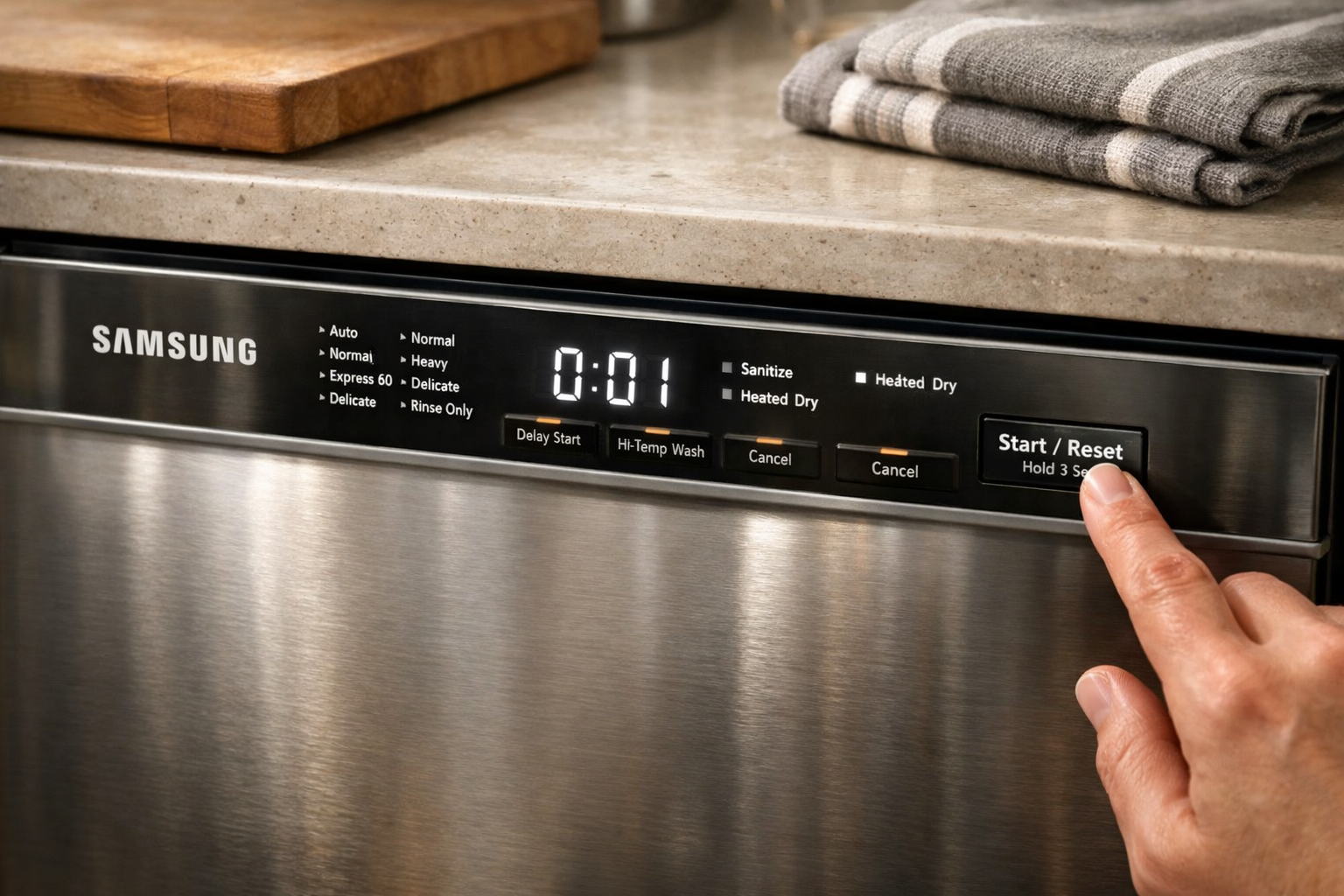
A reset can often solve mysterious startup issues, especially after power interruptions or electronic glitches.
Samsung dishwashers rely heavily on digital control systems. Like computers, these systems occasionally freeze or encounter errors.
Resetting the dishwasher clears temporary faults and restores normal operation.
The simplest reset method involves turning off the dishwasher at the circuit breaker for five minutes. This completely cuts power to the control board and forces it to reboot.
After restoring power, close the door and try starting a normal wash cycle.
I’ve seen this method solve issues that initially seemed like major mechanical failures. Sometimes the dishwasher simply needs a fresh start.
When to Call a Technician
If you’ve checked the door latch, power supply, control lock, and performed a reset but the Samsung dishwasher still won’t start, the problem may involve internal components.
Possible issues include a defective control board, faulty door switch, damaged wiring harness, or malfunctioning circulation pump.
While some experienced homeowners handle these repairs themselves, many require specialized tools and diagnostic knowledge.
If your dishwasher displays error codes, makes unusual noises, or repeatedly fails to start after troubleshooting, professional service is usually the safest option.
Modern dishwashers are complex appliances, and attempting advanced repairs without proper guidance can sometimes make the problem worse.
Conclusion
When a Samsung dishwasher won’t start, the cause is usually simpler than it first appears. In many cases, the issue comes down to a door latch problem, power interruption, control lock setting, or a temporary electronic glitch.
By systematically checking each of these possibilities, you can often restore your dishwasher to working order in just a few minutes.
I always recommend starting with the simplest fixes first: confirm the door is properly latched, check the circuit breaker, disable control lock, and try a full reset. These steps solve the majority of startup problems.
If the issue persists, internal components like the control panel or sensors may require professional attention.
With the right troubleshooting approach, you can quickly determine whether the problem is a quick DIY fix or something that needs expert repair.